Showing posts with label WORK. Show all posts

04 June 2009

ROOM short film


Finally after 3 mths of hardwork, I finished this short 3D animation.

ROOM is the story about 2 guys struggling for space in a house.

Production time is 3 1/2 months (Feb - June 2009), from concept toward compositing. Music and sound fx are done by Markus Kellow, really nice guy to work with.

This is just a teaser poster. It hasn't been submitted, I'm sorry I'm unable to show it publicly yet.

I hope to be able to show more stuff after submission.

update: It's uploaded to vimeo and you can view it HERE

19 February 2009

kutuCG V2

I've to rebuild kutuCG due to my HDD crashed. All my previous working files are gone. I've migrated the engine from punBB. It was good, fast, and light. But lack of features, like PM, polling, and some moderation tools. It can be done by hacking/ adding plugin, but this also mean messing up with the database. Shortly said, the new engine is much more easier, learning curve was easy, and customization is sweet! although I feel it appeared to be a little slower than punBB, but hence the features it offers, gotta compromise. Therefore I tried to use less graphic buttons and relied more on CSS. Here's the layout when launched....


EVERYBODY COMPLAINED! it's too bright. Therefore I worked my ass out to match V1 look as closed as possible :p

30 November 2008

Sketches

I suck at drawing, need to practice more..


From idrawgirl tutorials

25 November 2008

GA mini sculpting challenge #1 mud monster


Work in progress screenshot


Concept


My entry here

19 September 2008

15 September 2008

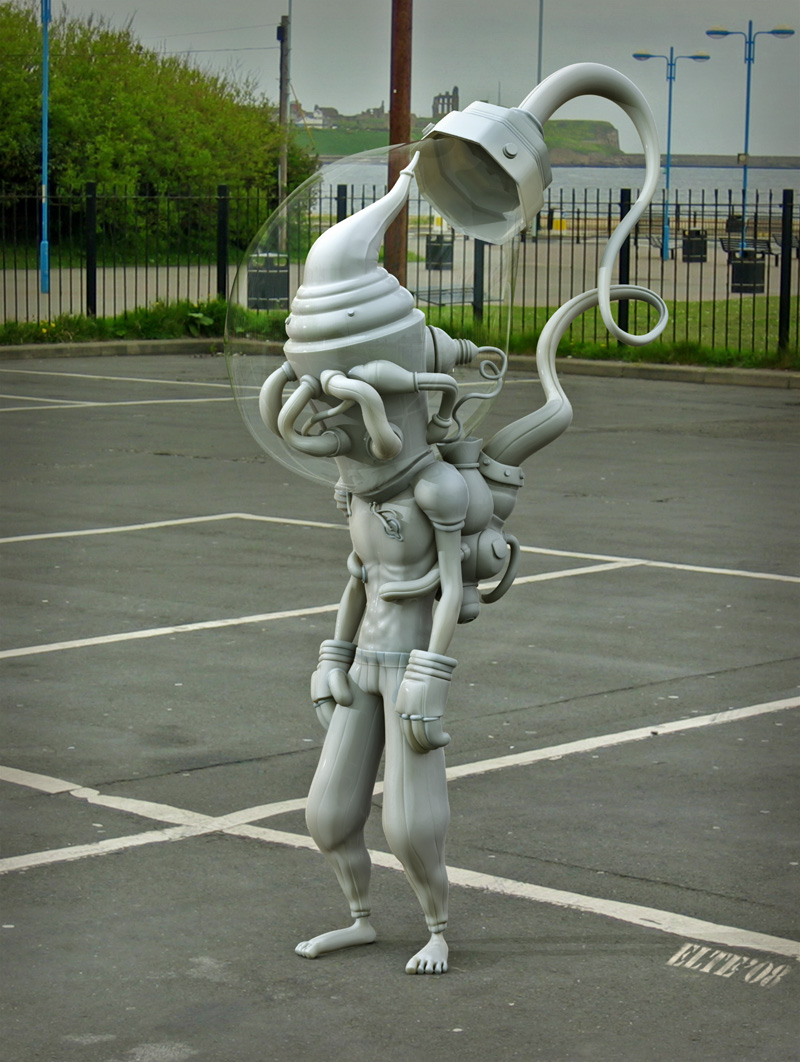
Cylman finished


Gosh finally I'm able to focus on school assignment now.

Model in maya, texture in Zbrush and photoshop, Rendered in Modo.

03 September 2008

Cylman full body texture WIP

Full body texture is done, gonna put it on hold for a while, balancing out my school assignments.

Need to fix the glove, not really satisfied with it

31 August 2008

1 hour speed sculpt

Got invitation from Coke via msn buzz.

Cylman Trousers


Small update on the weekend.

24 August 2008

Cylman update

Forgot to post this last time, a test render matching live environment.


Finished the head texture for now.

25 June 2008

Alchemy open drawing project

Alchemy is an open drawing project aimed at exploring how we can sketch, draw, and create on computers in new ways. Alchemy isn’t software for creating finished artwork, but rather a sketching environment that focuses on the absolute initial stage of the creation process. Experimental in nature, Alchemy lets you brainstorm visually to explore an expanded range of ideas and possibilities in a serendipitous way.


16 December 2007

My new side project

Hi all, since I'm not really into 3D anymore lately, doesn't mean I'm slacking all the way. All this while I've been doing a side project with a friend of mine. It's a blog about culinary and food in Medan, I welcome you to visit the blog here

Thank you.

29 October 2007

Slowly work my A** off..

Nothing much...


more update soon.. I mean.. 'soon'

24 July 2007

Rectangular size texture map

Usually we will create square size texture map and for games engine, it'll mostly must be power of 2, e.g : 512x512,1024x1024,2048x2048. However there are particular case which require rectangular size, like 1024x512, or 512x128.

In maya itself, the uv range is always square, this is confusing because if we have a rectangular size texture slapped on square size layout, it will be stretched. Look at the image below.


The uv size range from 0 to 1. And it's square. Let's apply rectangular size texture.


The texture is now stretched. What if we want the uv to follow the texture rather than the other way round?
Use image ratio as shown in the image.


However, this result UV to stretch. Therefore, you need to work in the proper uv (image ratio on).
Once you're done with the uv, you can turn image ratio off. It'll look stretched (shrinked), but it doesn't matter, because that's the correct uv with correct texture. Unless you're planning to change the texture size :)

06 July 2007

2isted Website Updated


We just updated our website with some of our latest works. Please have a look and thanks for viewing.

*click the title to go to the website.

03 July 2007

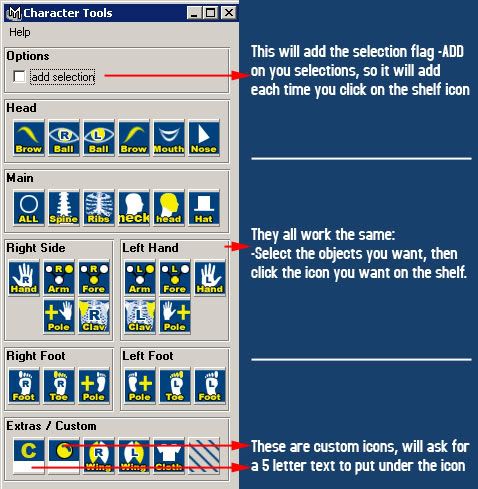
Custom character control interfaces

As suggested by BuGuru, I would like to explain some of the custom character controls available. There's no point on creating your own unless the existing doesn't suit your workflow.

1) David Keegan C3[download]


This is by far the simplest and step by step guide.
1) By executing the script you're prompted with a dialog to setup or load character.
2) If you choose setup, the first step is to define the character(type the name), what it does is to snap a screenshot based on the camera(It is actually playblasting currentframe and save it as images)
3) Once you click done, the next step is to define the control, you can select and move it in x and y direction, the select field works this way:
- select the control on C3 viewport, select any object/control in maya viewport.
- press the 'select' button. C3 will link both object.
- Under the tool, you can either select one, so by selecting the control, it automatically change to the tool corresponding to the tool you select.
refer to the image for better understanding.


click Finish and you're done.
But as you can see, there's no additional node in the scene. C3 is quite smart in the way it stores a mel inside your project directory, you can see a folder named "C3" and inside there is a snapshot and a mel file. So you can always load the character anytime.

2) Adam Burke's abxPicker.


abxPicker is similar to C3, but with more control and advanced settings.
Everything is basically already explained in the help.


3) Dan Moreno's Character control


Not really my favorite, because the window took so much space and it look unorganize and not flexible. But perhaps if you like it, you may give it a try.

*edit: Receive a comment from Dan himself, perhaps I should spend more time on this script before posting it. Thanks Dan for your comment!

05 June 2007

Maya 8.5 Service Pack 1

Previously in maya 8.5, batch rendering with render layer cause a loop. No more confusion now.

You can get the service pack update here

31 May 2007

Cylman_WIP_04

Finish with the character.
Now the most exciting part : unwrap~


30 May 2007

Cylman Test Render

Just a simple test render done in Modo. Starting to get busy with office work but I can't wait to get this thing done.

22 May 2007

Cylman_WIP_03

Too much work, too little time. I decided to cut down the BG scene, focusing on character.

However, I've done the background, except the big main object there. For now I'll proceed with unwrap and texturing.