29 December 2005

pixart photo album


Transform your digital camera photos into a professionally-made coffee table book! With Pixart’s unique FREE-to-download software, you can create your own masterpiece from those unforgettable occasions like birthdays, weddings, vacations, graduations, anniversaries or the birth of your baby.

28 December 2005

matchmoving day

*image have been removed due to confidentiality issue.

lots of new stuff that I learnt
comparing maya live, boujou and matchmover.
I end up using manual track :P scene is too complicated for auto-track
not enough informations given as well.

23 December 2005

Merry X'mas 2005!


Twisted Media Staffs. It's a really really great pleasure to work with them. And I thank everyone for the opportunity to learn and know you guys better.

22 December 2005

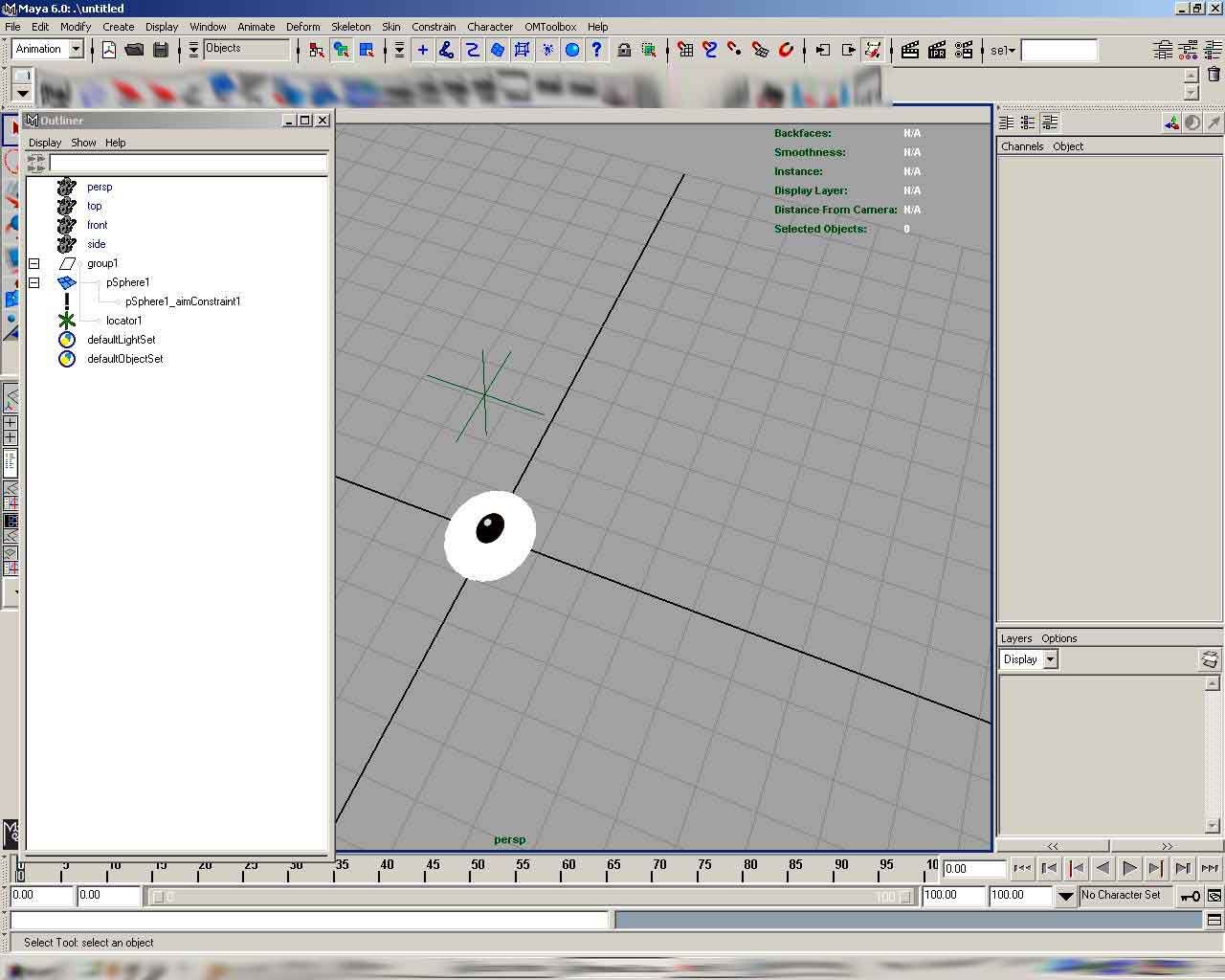
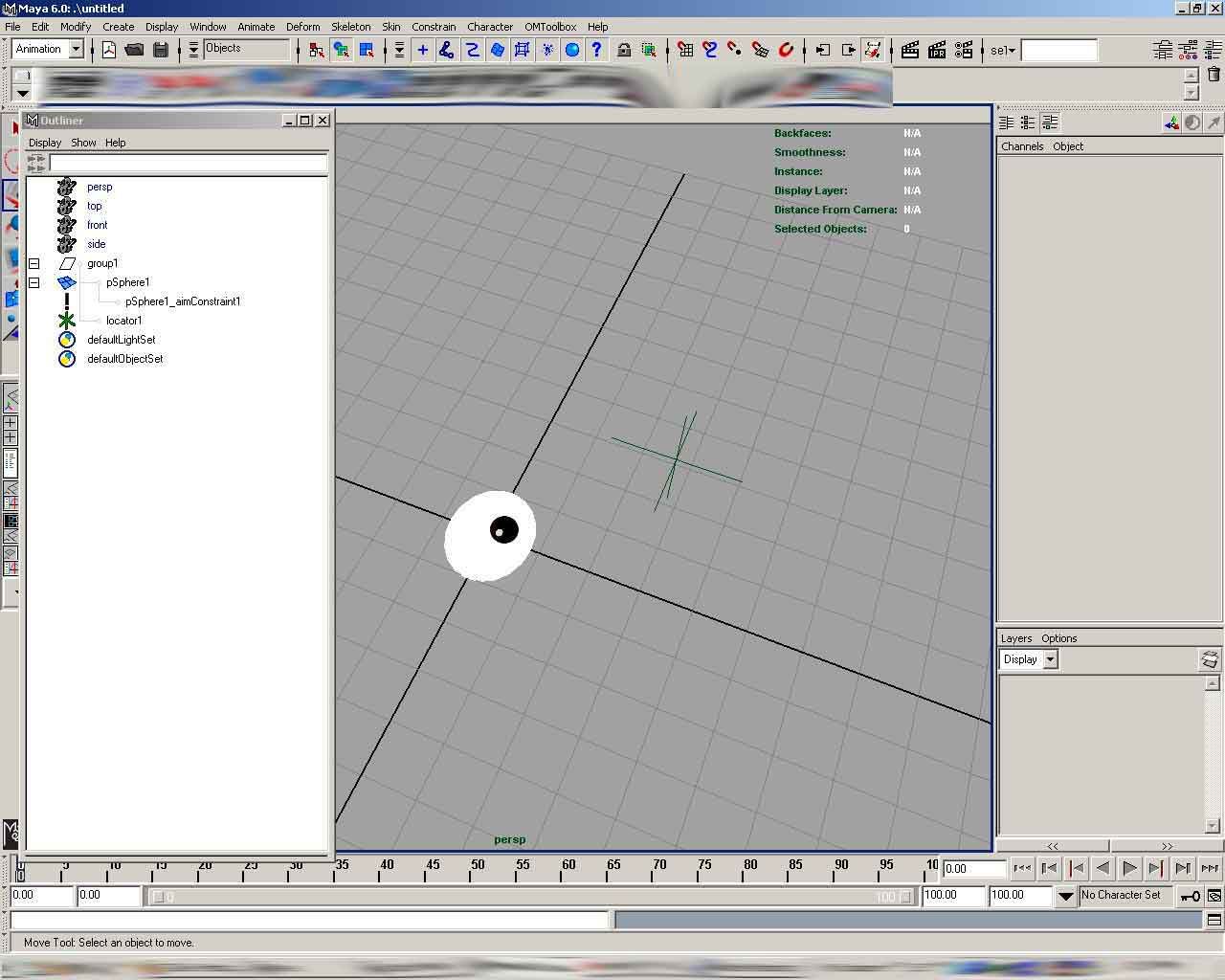
eyes aim constraint's problem

First, I would like to thank Misterdi for helping me with hints and tips ( yeah it's fun to hunt the treasure hehe)

problem: Eyes constraint works well, but when I rotate the eyes, the aim becomes weird, it rotates by itself in it's local axis and sometimes it flips.

images:


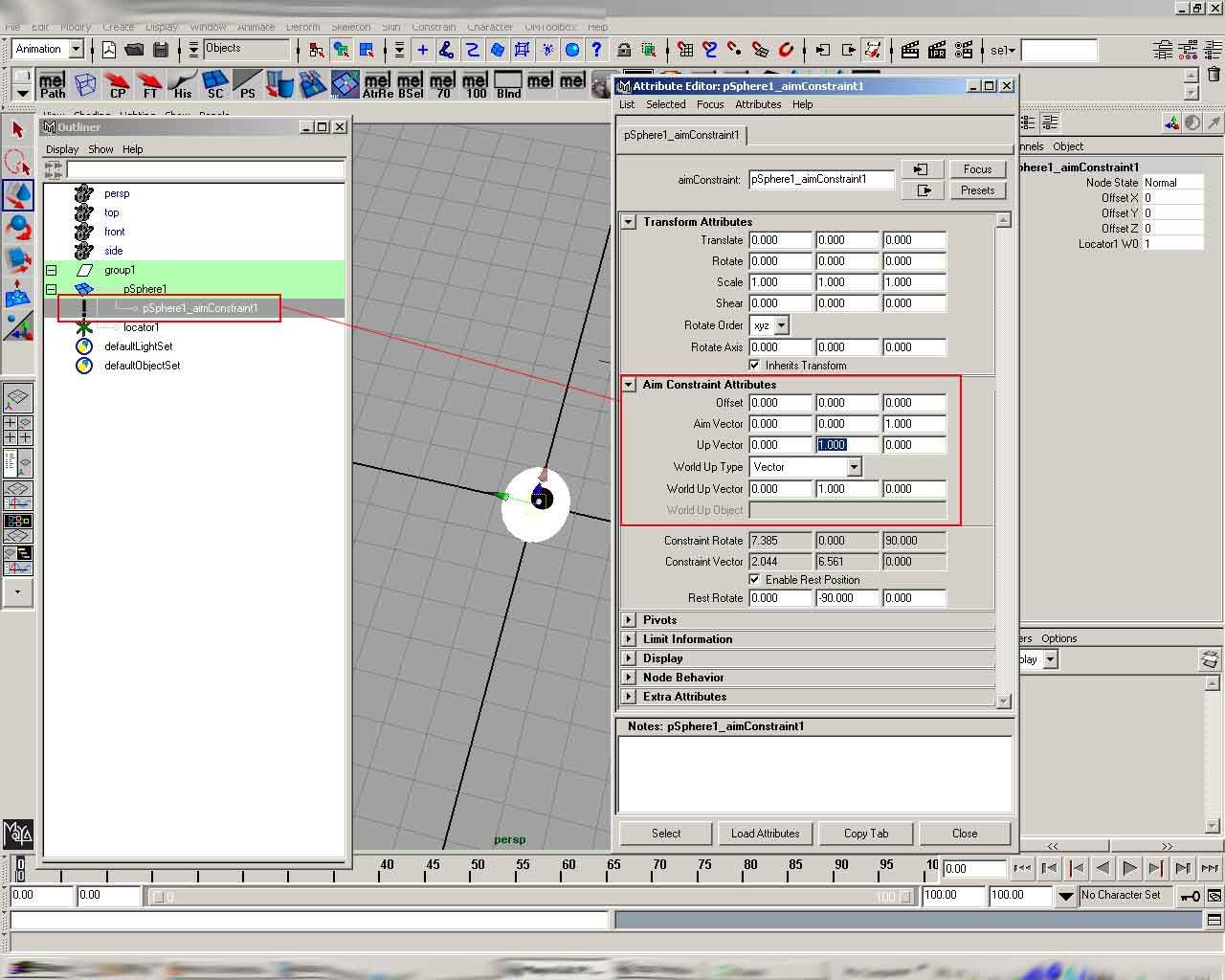
solution:
-aim vector: the direction that the local axis of the constrained object will point at (in this case, the locator is in Z direction, so put 1 on Z)
-up vector: a vector that works with the aim vector to control the orientation of a constrained object. From the range of my knowledge, this is normally will point to the locator as well to avoid the flip. so in this case, put 1 on Z as well. because when you rotate the eye,
-world up vector: this one determines the scene's world up, which is Y, so put 1 into Y.

By default, up vector and world up vector would have the same value, meaning they'll stay aligned as close as possible. that's why when you rotate to the extreme degree, sometimes maya don't know which to calculate and give flip result, or double rotation, because of double orientation.


p.s: I don't really understand about this one, so please anyone, correct me if I'm wrong. :)

21 December 2005

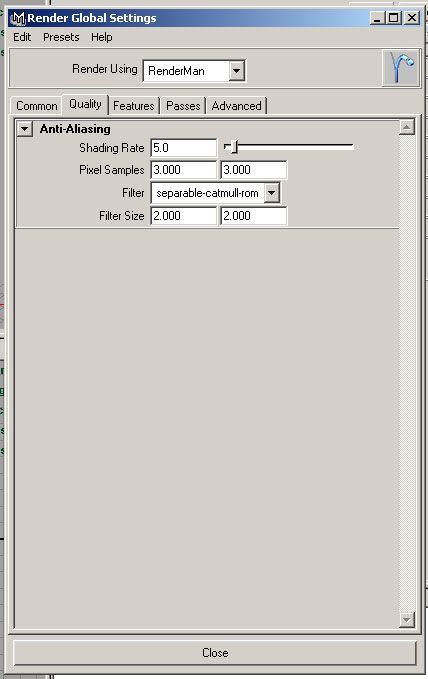
Renderman

*image removed due to confidentiality issue


so sweet...
check the render time comparison:
renderman: smooth by 1 : 3.13 secs
mentalray: unsmooth : 2.19 secs
software render: unsmooth: 5 secs ?!?

FINAL RIG 2 released


awesome script...
another one: The setup machine


both are killer automated rigging scripts

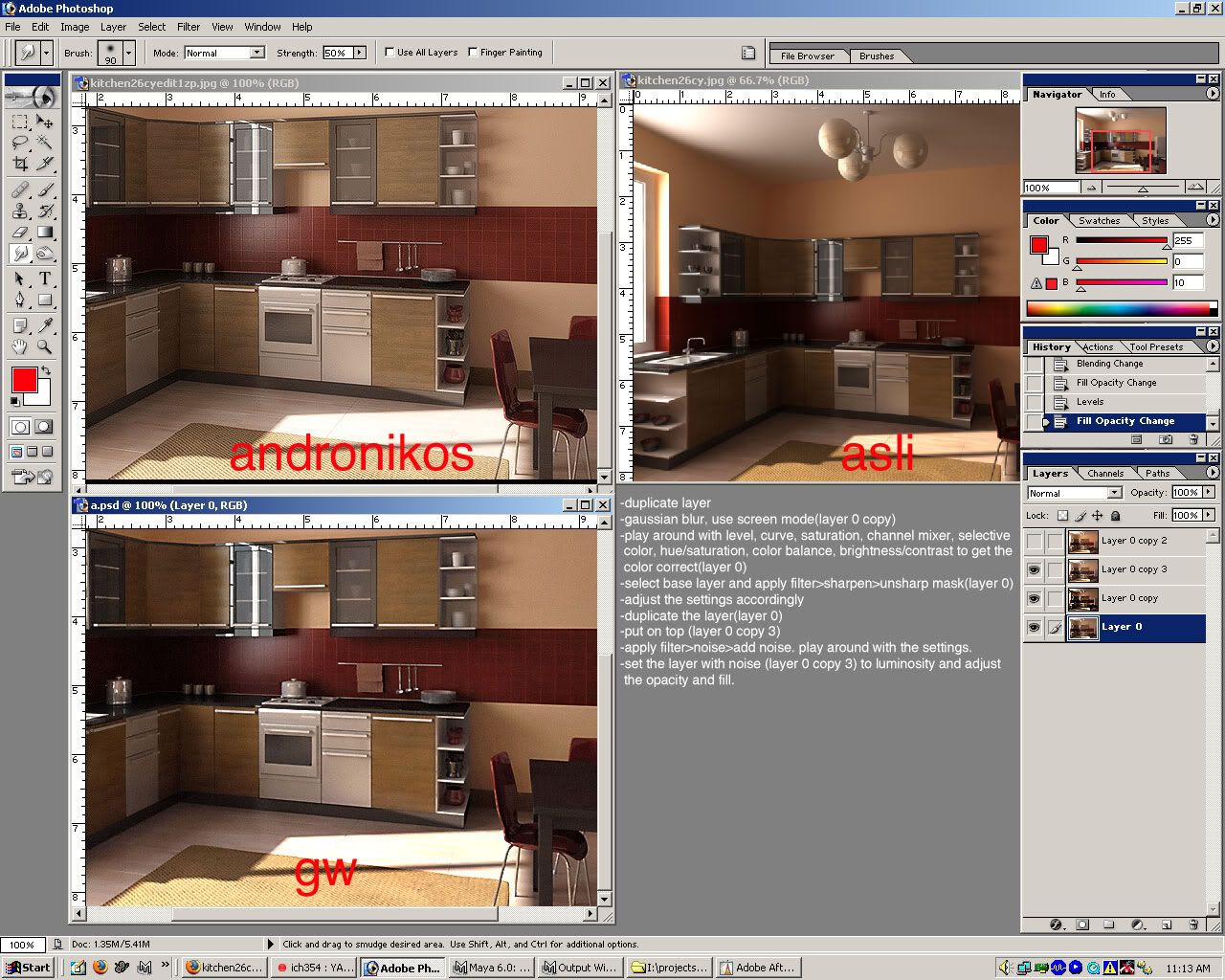
PS adjustment


by request of ICH, I tried to mimic the look of the photos.

20 December 2005

settings for composite with footage

the first thing to consider is the render global.
create a camera, mind the resolution, and lock the aspect ratio ( for TV)
Image hosted by Photobucket.com

second is the camera attribute
change the focal length according to director's camera lens
set the film gate to 35mm TV projection (depending on the camera lens again)
Image hosted by Photobucket.com

last:
create an image plane:
name the image sequence properly with the format
imagename.###(number).ext(jpg,tif,sgi,etc)
and tick the use image sequence and fit : to size

Image hosted by Photobucket.com

adjust ur persp viewport to match the cam and plate.

*image removed due to confidentiality issue

BlendShape orientation

By default, Maya's blendshape editor window orientation would be vertical. However, if you want it to be horizontal when it loads up back, this is the script:

Go to your Maya's Other Scripts directory, for example, C:\Program Files\Alias\Maya6.0\scripts\others, then find the file called createBlendShapePanelMenul.mel, edit it using whatever editor you would normally use, Notepad will do, find the following line : -

string $ma[] = `menuBarLayout -q -menuArray $panelControl`;

straight after on the next line, add this line : -

blendShapeMenuCmd $panel bseMIHoriz;

That's it, when you load Maya up now, Horizontal Layout will be the default layout.

kudos for Steven J Tubbrit.

15 December 2005

main character done.

*image removed due to confidentiality issue
The character from the project I'm doin currently.
Modeled in 1 day, agency approval and changes = 2 weeks!! can u believe it?!?!
rigged in 3 days, gosh today is the most tiring day, gotta rush. I'm goin to visit my mom in Penang tomorrow. leave till sunday.